Fill out Form W-2 online
Wage and Tax Statement
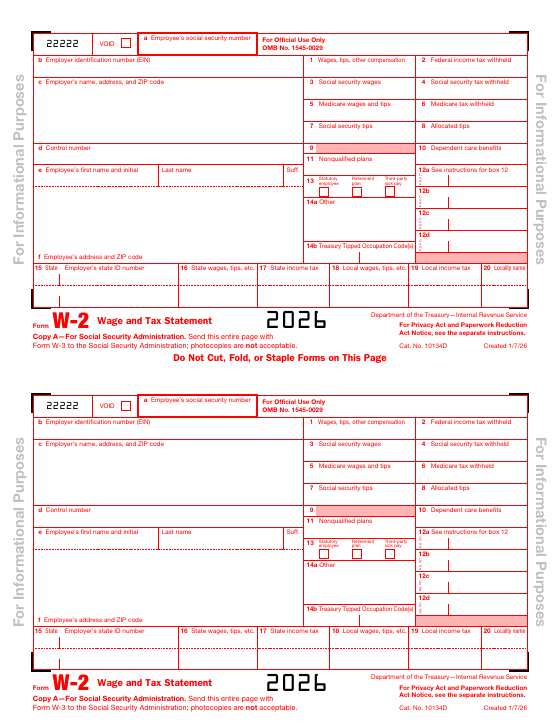
Reports an employee's wages and the taxes withheld during the year. Employers give copies to employees and file with the Social Security Administration.
Opens in the DocZap editor. What you type stays in your browser.
- Published by
- IRS
- Version
- 2026
- Length
- 11 pages
- Fillable fields
- 819
819 fillable fields
Employers can file Forms W-2 and W-3 electronically for free through the Social Security Administration. Check the IRS instructions before you print and mail a paper Copy A.
What to know about Form W-2
- Employers prepare a Form W-2 for each employee. It reports wages and the taxes withheld during the year.
- Employees get copies to use with their own tax return. Copy A goes to the Social Security Administration.
- Employers generally need to give employees their copies and file with the SSA by January 31.
- Mistakes on a filed W-2 are corrected on Form W-2c.
Have these ready
- The payer's and recipient's names, addresses, and taxpayer ID numbers
- The amounts paid or reported for the year
- The IRS instructions for this form, which cover deadlines and where to file
What's on Form W-2
This is the 2026 version, 11 pages long, with 819 fillable fields, including 528 text boxes and 40 checkboxes. In the editor, the fillable fields are highlighted so you can see where to type.
How filling it in works
- 1
Open the form
Choose "Fill this form". The blank Form W-2 opens in the editor.
- 2
Type into it
Click a field and type, or click a box to tick it. Use Text for anything that isn't a field.
- 3
Download your copy
Press Done to save the filled-in PDF to your device. Nothing is uploaded.
After you fill it in
Frequently asked questions
Is this the official Form W-2?+
It is the blank PDF published by the IRS (2026). DocZap hosts a copy and isn't affiliated with the IRS. Before you submit it, check the IRS forms and instructions page for a newer version.
How do I fill out Form W-2 online?+
Choose "Fill this form" and the blank form opens in the DocZap editor with 819 fillable fields. Click a field to type, or click a box to tick it. For anything that isn't a field, use the Text tool to type anywhere on the page, or the Image tool to add a picture of your signature. Press Done to download your copy.
Is what I type uploaded anywhere?+
No. The blank form loads from this site, then everything you type stays in your browser tab. Nothing is sent to a server and nothing is saved when you close the tab, so download your finished PDF before you leave.
Where do I send Form W-2 once it's filled in?+
It depends on the form and your situation. The instructions for Form W-2 explain who receives it and how to submit it, so read them first. They are on the IRS forms and instructions page.
How long is Form W-2?+
This PDF (2026) is 11 pages long and has 819 fillable fields, including 528 text boxes and 40 checkboxes.
Does it cost anything?+
No. There is no account, no watermark, and no limit on how many forms you fill in.
More information returns forms
DocZap isn't affiliated with the IRSor any government agency, and this page isn't legal or tax advice. Find the latest version, instructions and submission details on the IRS forms and instructions page.